What Are Legal Collaboration Tools?
A legal collaboration tool is software that helps legal teams work together more easily. There are all kinds, such as case management systems, document platforms, chat tools, and client portals.
Some focus on internal tasks, others make it easier to work with clients. But they all aim to solve the same problem: keeping everyone organized and on track.
Types of Collaboration Software For Legal Teams
There’s no single tool that covers everything a legal team needs, which is why different types of collaboration software exist. Some are built for managing cases, others for sharing documents or staying in touch with clients.
The right setup depends on how your team works and what problems you’re trying to fix. This section breaks down the main types of tools legal teams use day to day, so you can figure out what makes sense for your firm without wasting time (or money) on the wrong stuff.
1. Enterprise Legal Management Software
Enterprise Legal Management software (ELM) helps in-house legal teams keep everything in one place so users are not wasting time digging through emails or juggling spreadsheets.
If your current system feels all over the place, this kind of software can make things a lot simpler. You don’t need to learn a whole new way of working. It just helps you stay on top of what’s already on your plate.
Here’s what most tools like this offer:
- Case and matter management – All your case info, files, and notes in one spot.
- Time tracking and billing – Log hours as you work and create invoices easily.
- Task and calendar tools – Set deadlines and assign work without sending five reminders.
- Client and contact info – Keep everything tied to the right matter.
- Document storage – Store and access files without guessing where they are.
If your legal team is growing or you’re just tired of patching things together, this kind of setup can help you get back to focusing on the work.
2. Document Management Software
Document management software helps your team keep legal documents organized, secure, and easy to work with. It’s built for law firms and legal teams that need more than just a shared drive. You can store files, share them safely, and control who has access, all in one place.
With secure document sharing and advanced security features, your files stay protected. You can also manage version control, so edits don’t get lost or confused. Need to review a contract with others? Everyone can work on documents simultaneously without creating extra copies or confusion.
Most tools offer features like:
- Secure access controls – Decide who can view or edit each document.
- Version control – Keep a full history of edits and updates.
- Real-time collaboration – Work together on documents without overlap.
- Clear file structure – Sort, tag, and search with ease.
- Audit logs – See who did what and when.
- Safe external sharing – Send files to clients or partners without email attachments.
3. Client Portals
Client portals give your clients a simple, secure way to stay connected with your firm. Instead of relying on back-and-forth emails, they can log in to view case updates, upload documents, send messages, or even pay invoices.
For legal professionals, it means fewer distractions and clearer communication. And for clients, it builds trust. They’re not left wondering what’s going on or waiting days for a reply.
This kind of access doesn’t just improve the experience; it also boosts client satisfaction. When people feel informed and included, they’re more likely to stick with your firm and recommend it to others. That’s where the competitive edge comes in. Offering a client portal shows your firm is responsive, professional, and up to date.
Client portals are often part of broader law firm collaboration software, so everyone—clients, attorneys, and every team member involved—can stay aligned without extra steps. They also provide a secure space for sharing sensitive information, which is a big upgrade from standard email.
For firms trying to improve client communication and reduce wasted time, a client portal is one of the smartest tools to have in place.
4. Chat, Call, And Meeting Software
Chat, call, and meeting software helps your team stay connected easily. You can send a quick message, hop on a video call, or loop in a client without switching between five different tools.
Platforms like Microsoft Teams, Zoom, Slack, and Google Meet make it easy to keep things moving. You’re not stuck waiting on emails or struggling to find the right time for a check-in.
These tools also support client collaboration by making conversations more direct and easier to manage. A short video meeting often gets more done than a long email thread. Instant messaging is great for small updates or quick feedback, and everything stays organized in one space.
This kind of setup gives your team a better way to handle routine tasks, check progress, and stay aligned. It fits right into your tech stack and can give you the following benefits:
- Microsoft Teams, Slack, and Google Meet keep internal and client chats easy to follow
- Instant messaging clears up small issues before they grow
- Video meetings help clarify ideas and speed up decisions
- Zoom and other video conferencing tools improve client communication
- Seamless communication helps boost productivity across your team
How Percipient Helps Improve Contract Collaboration
Contract collaboration doesn’t need to be a constant back-and-forth. Percipient combines advanced AI with hands-on legal expertise to help your team manage contract reviews more efficiently, without the burden falling entirely on your desk.
We don’t offer a self-serve tool or one-size-fits-all software. We work directly with your team to understand your standards, clause preferences, and internal processes.
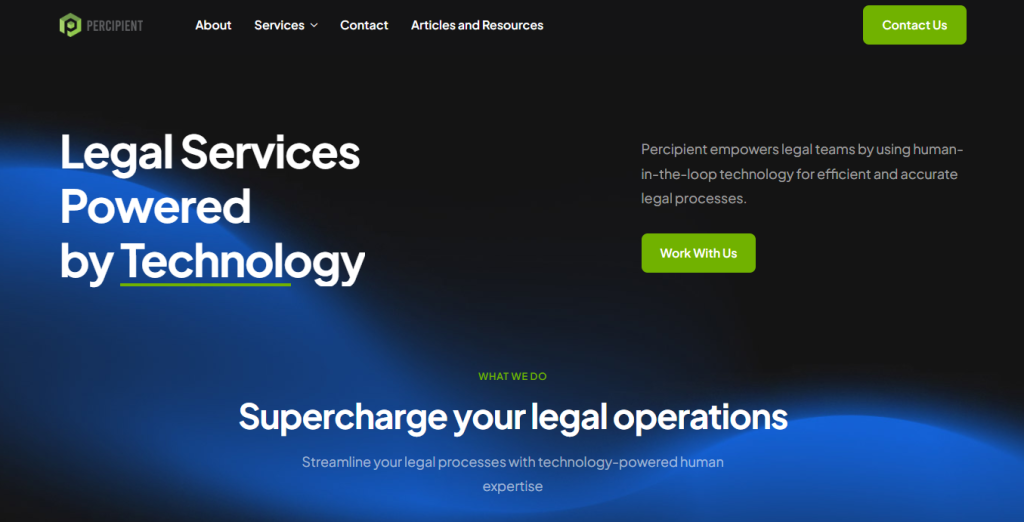
Then we apply that insight to an AI-assisted review process, supported by experienced legal professionals who validate, edit, and explain every suggested change.
What do you get? A smoother review experience, better alignment across teams, and contracts that move forward with fewer delays and less friction.
Ready to take the pressure off your legal team? Schedule a discovery call and see how we can support your contract workflows with the right mix of tech and human judgment.
The Benefits of Legal Collaboration Software
Not sure why you should adopt collaboration tools? Take a look at some of the benefits you can expect:
Communication That Doesn’t Get Lost
Communication gets messy, even if your team’s in the same office. It can be inevitable in busy law firms or legal departments.
Luckily, legal collaboration software can keep everything in one place, so you’re not chasing updates or losing track of what someone said. Comments, changes, and questions stay attached to the task or document they belong to.
For example, if a team member adds notes to a contract draft, you’ll see it right there, not buried in a long email chain. It also works with other tools your firm already uses, which means you’re not stuck copying things over.
Quicker Progress Without the Chase
Tired of projects stalling because you’re waiting on edits or chasing down feedback? Real-time collaboration changes that.
When your team shares access to the same files and updates happen live, you’re not stuck wondering who has the latest version or if anyone saw your message. You can leave comments, track changes, and move forward without sending another follow-up.
Plus, everyone sees what needs to be done and can jump in when needed. That means fewer delays, fewer headaches, and more progress without the back-and-forth that slows everything down.
Fewer “Oops” Moments
Mistakes happen when files are scattered and updates get lost in inboxes. But when your team works from one shared system, everything stays aligned. You’re not guessing which version is final or relying on memory to track deadlines.
The platform keeps documents organized, updates visible, and tasks clearly assigned. It’s easier to catch small issues before they become bigger problems, and you don’t have to worry about someone editing an outdated file or missing a key change.
By centralizing your work, you cut down on confusion and keep things running smoothly without constantly double-checking.
Everyone Knows What’s Going On
You shouldn’t have to chase updates or piece together who’s doing what. A good collaboration platform makes everything visible: who’s assigned, what’s done, and what still needs attention.
That kind of transparency helps streamline workflows and keeps your legal work moving without constant interruptions. Instead of sending follow-ups or sitting in unnecessary meetings, you can check the platform and get a clear picture of progress.
For legal documents, it also improves the review process by showing exactly where a document stands, who’s reviewed it, and what’s next.
Clients Actually Feel Involved
With client portals and secure messaging tools, they can log in anytime to check progress, review case files, and send questions, all from a single platform. They don’t have to wait for an email update or wonder what’s happening behind the scenes.
This kind of access helps them feel connected and confident in the process. It also gives your team space to share valuable insights without extra back-and-forth.
More Time to Focus on Real Work
Think about how much time you spend following up, digging through email threads, or tracking down the latest version of a file. It adds up… and it pulls you away from the legal work that actually needs your focus.
Collaboration tools cut through that mess. You’ll know where everything is, who’s doing what, and what’s left to review. The platform takes care of the busywork so you can concentrate on the parts of your job that require strategy, analysis, and attention to detail.
Plus, your time is better spent on preparing arguments, reviewing contracts, or advising clients, not chasing status updates. And as your team gets more comfortable with the system, those daily disruptions shrink even more.
FAQs About Legal Collaboration Tools
What is the best legal management software?
Many legal professionals consider Clio Manage one of the top choices. It brings together case management, time tracking, billing, and document handling in one place. Designed to support remote work and in-office teams alike, it helps legal professionals stay organized, track billable hours, and manage clients without jumping between tools. With features like e-signatures and secure client portals, Clio Manage helps you work smarter and save time on non-billable tasks.
What are the 3 types of collaboration software?
Legal teams typically use three types of collaboration tools:
- Legal practice management platforms – to handle case tracking, scheduling, and billing.
- Document management systems – for storing, organizing, and sharing legal files securely.
- Communication tools – like messaging, video calls, and client portals to stay connected while working remotely.
What are some examples of real-time collaboration tools?
Real-time collaboration tools used in law firms include Slack, Microsoft Teams, and Zoom for communication; Google Docs and Microsoft Word Online for document editing; and client portals for feedback and updates. These tools support remote work environments and help reduce delays in the review process.
What is the best platform to use for collaboration and sharing documents?
The best platform depends on your firm’s size and workflow. For legal-specific use, tools like NetDocuments or iManage offer secure document management with access controls and version tracking. If you’re looking for broader integration with legal workflows, Clio (with its document features) is a solid option that helps you collaborate, manage e-signatures, and focus on billable work instead of manual coordination.
The post Legal Collaboration Tools to Improve Productivity and Workflows first appeared on Percipient – Legal Services Powered by Technology.
The post Legal Collaboration Tools to Improve Productivity and Workflows appeared first on Percipient – Legal Services Powered by Technology.